



App Short Description

App Short Description

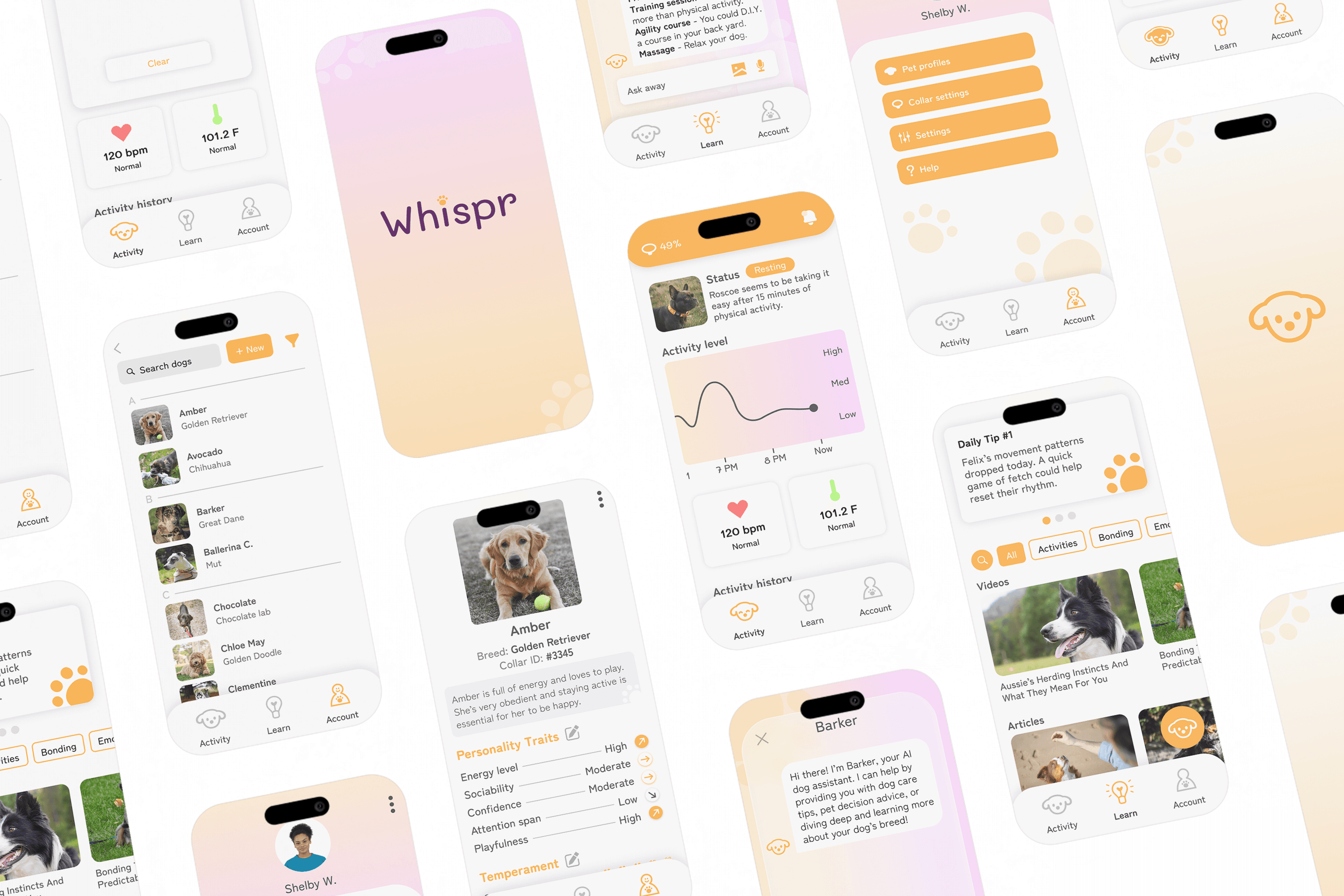
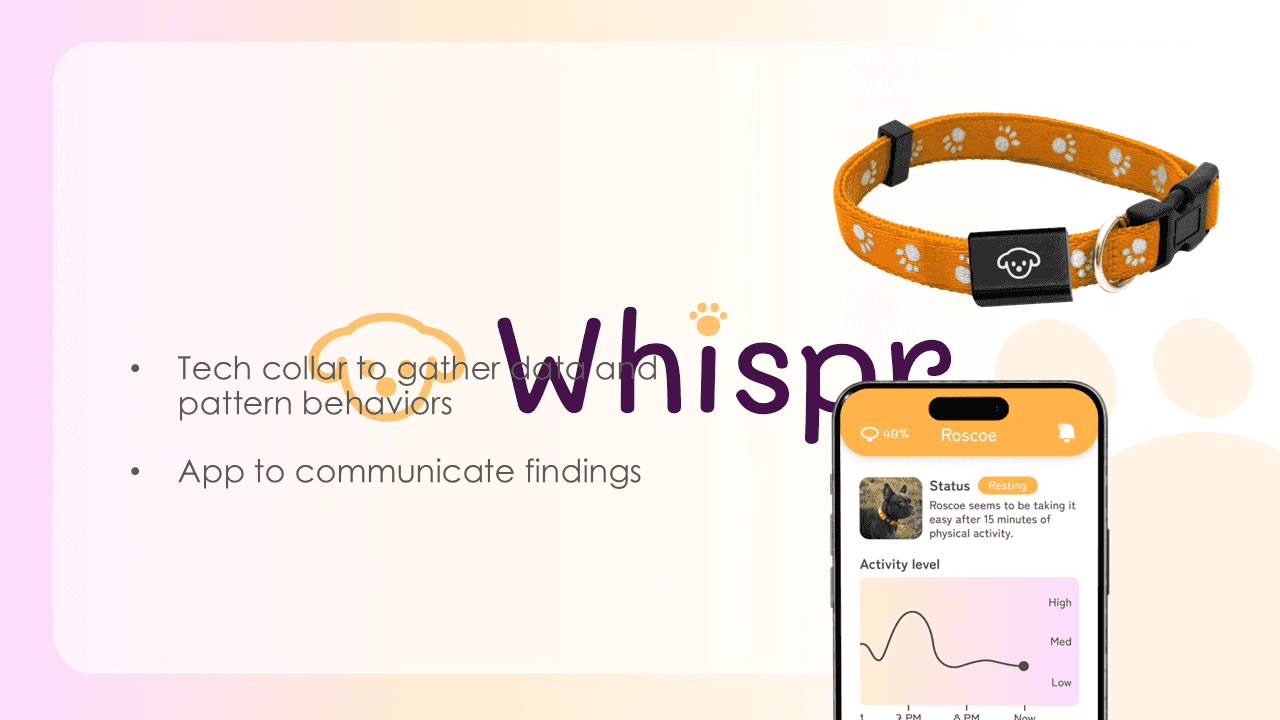
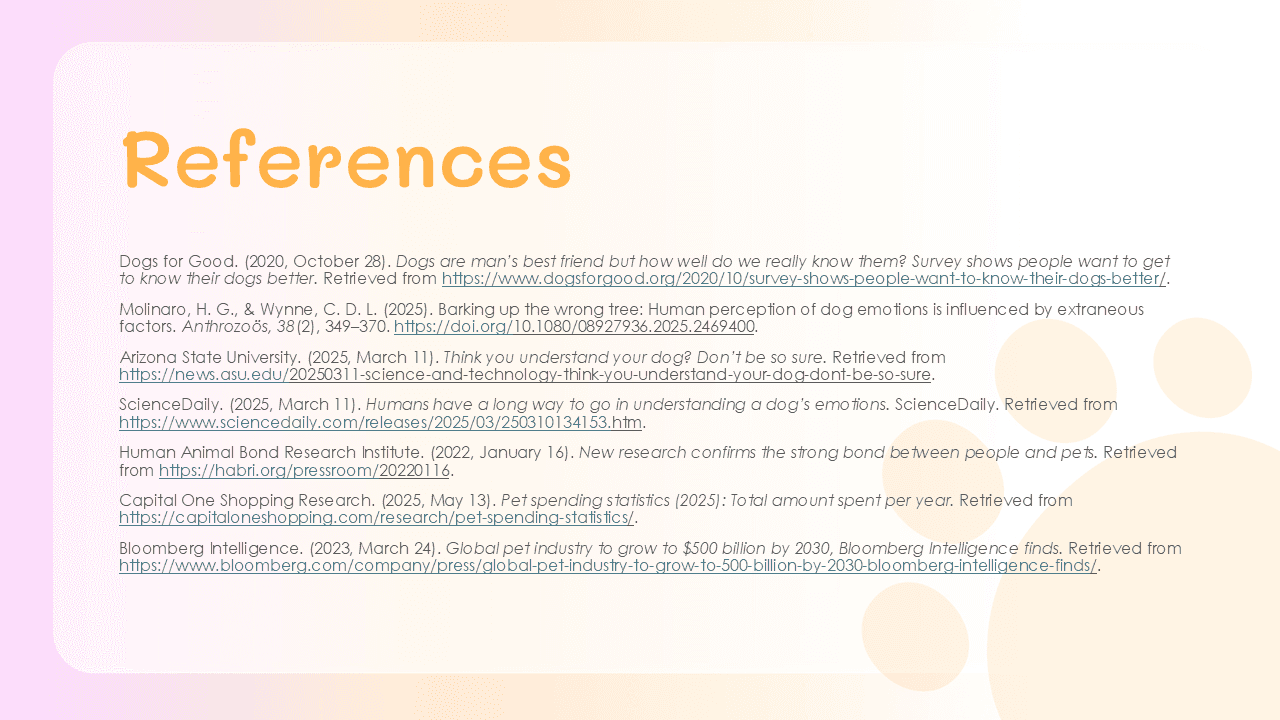
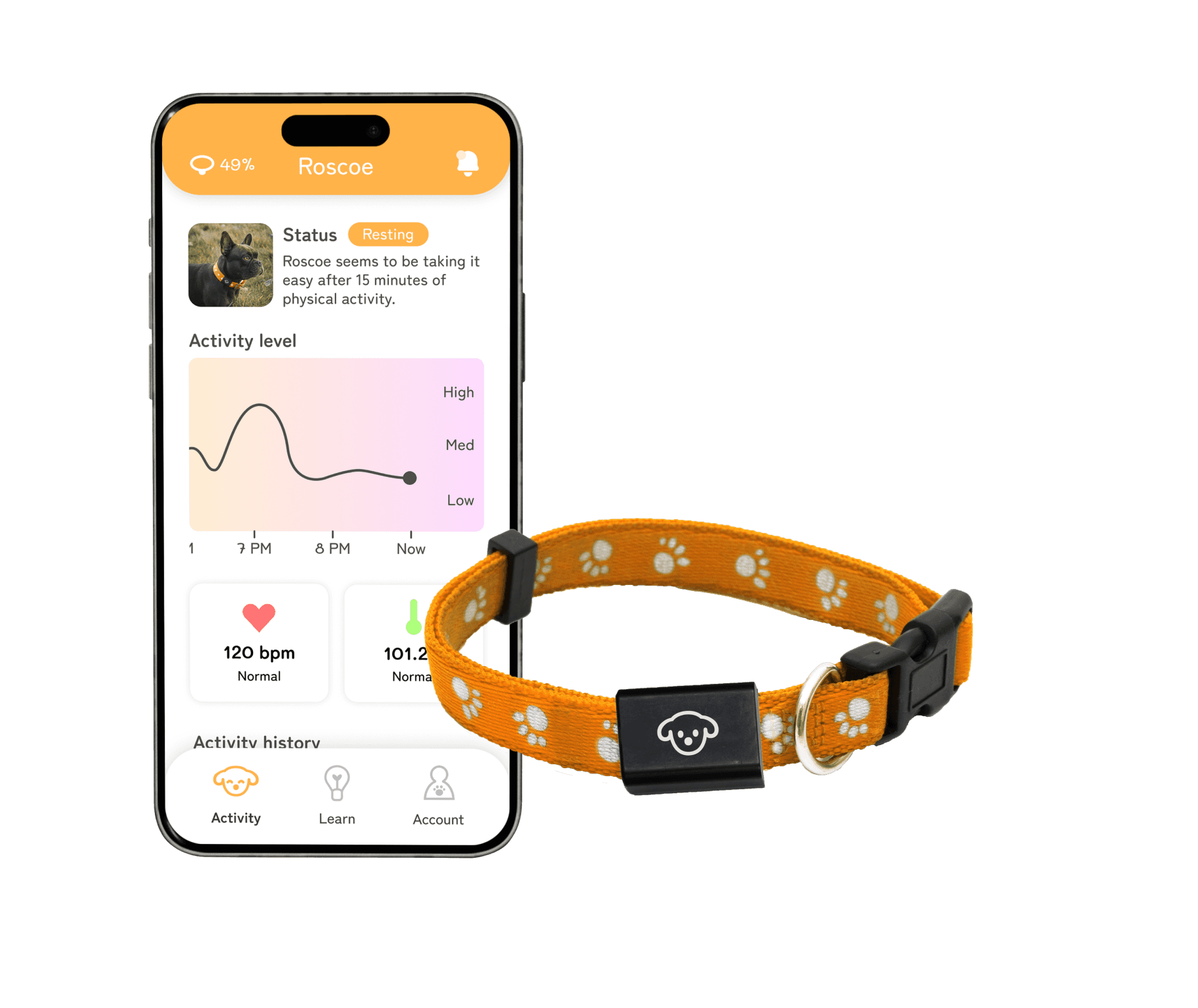
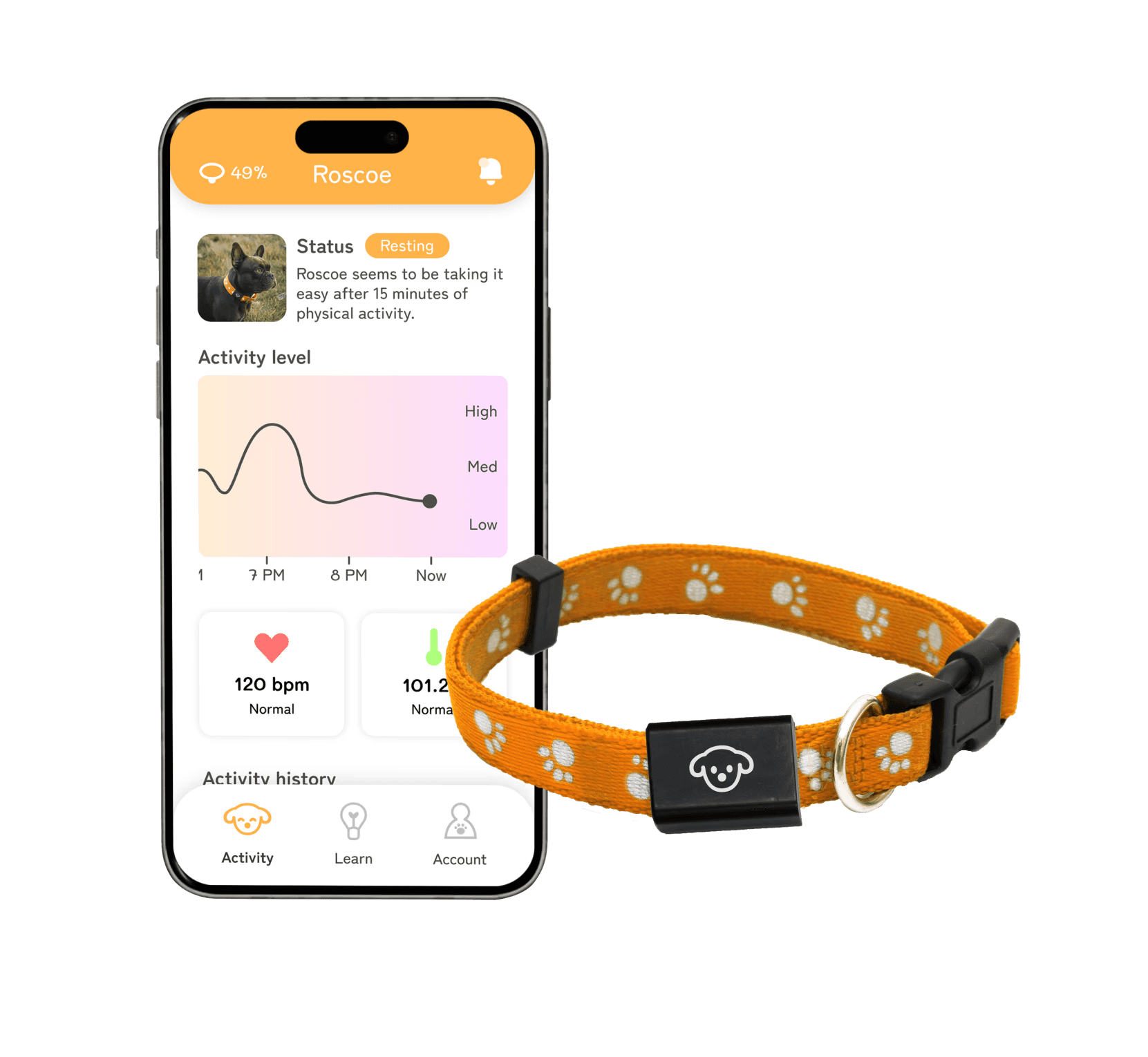
Dog owners often want to understand their dogs better. Whispr uses a smart collar that captures behavioral insights and patterns and display findings on its connected app.

Tools used

Bryn Miller

UX/UI designer

Nov 2025

Date

1 month

Timeline

UX/UI DESIGN - PRODUCT DESIGN - USER RESEARCH PROBLEM SOLVING - PUBLIC SPEAKING - APP DESIGN

2025

App Short Description

Dog owners often want to understand their dogs better. Whispr uses a smart collar that captures behavioral insights and patterns and display findings on its connected app.

Tools used

Bryn Miller

UX/UI designer

Nov 2025

Date

1 month

Timeline

UX/UI DESIGN - PRODUCT DESIGN - USER RESEARCH PROBLEM SOLVING - PUBLIC SPEAKING - APP DESIGN

2025

PROJECT OVERVIEW

PROJECT OVERVIEW

The Problem

The Problem

  • With the pet industry rapidly growing, pet owners want new ways to connects with their pet- in this case specifically, dogs.

  • There needs to be a platform that serves as a hub for their pet and documenting information regarding health, behavior, and activity.

  • With the pet industry rapidly growing, pet owners want new ways to connects with their pet- in this case specifically, dogs.

  • There needs to be a platform that serves as a hub for their pet and documenting information regarding health, behavior, and activity.

The Problem

  • With the pet industry rapidly growing, pet owners want new ways to connects with their pet- in this case specifically, dogs.

  • There needs to be a platform that serves as a hub for their pet and documenting information regarding health, behavior, and activity.

The Objectives

The Objectives

  • Design an app that pairs with a smart collar and communicates insights.

  • Create a pitch deck that displays the product idea.

  • Create a product presentation that persuades stakeholders of the product's need and relevancy.

  • Design an app that pairs with a smart collar and communicates insights.

  • Create a pitch deck that displays the product idea.

  • Create a product presentation that persuades stakeholders of the product's need and relevancy.

The Objectives

  • Design an app that pairs with a smart collar and communicates insights.

  • Create a pitch deck that displays the product idea.

  • Create a product presentation that persuades stakeholders of the product's need and relevancy.

My Role & Responsibilities

My Role & Responsibilities

  • As the UX/UI designer, it was my responsibility to perform all aspects of this project from research to design execution.

  • Researching and defining a problem due to lack of communication.

  • Contrasting product relevancy with the current market.

  • Creating a solution to the problem for created personas.

  • As the UX/UI designer, it was my responsibility to perform all aspects of this project from research to design execution.

  • Researching and defining a problem due to lack of communication.

  • Contrasting product relevancy with the current market.

  • Creating a solution to the problem for created personas.

THE PROCESS

Empathize

Find a relevant problem that can be solved with data communication.

Research and understand the pain points involved with the problem.

Determine target audience and create personas.

Define

Propose a real solution for the personas

Conduct a competitive analysis on existing products

Research data and statistics that support the product's need for existing.

Based on research, determine the features needed for the product.

Prototype

Create userflows that provide solutions to each of the personas.

Build wireframes and design comps of the product solution.

Design a brand and UI that support the product design.

Create product mock-ups that demonstrate the product’s functionality

Present

Pitch the product idea to an educated audience and receive critique.

Utilizing feedback, re-pitch the product and emphasize its specific solutions.

This process is not exactly linear. Throughout the whole project, it was essential to reference the data and research performed in order to juxtapose my direction with the data. This helped ensure that I wasn’t steering off the path or getting caught in the details.

THE PROCESS

Empathize

Find a relevant problem that can be solved with data communication.

Research and understand the pain points involved with the problem.

Determine target audience and create personas.

Define

Propose a real solution for the personas

Conduct a competitive analysis on existing products

Research data and statistics that support the product's need for existing.

Based on research, determine the features needed for the product.

Prototype

Create userflows that provide solutions to each of the personas.

Build wireframes and design comps of the product solution.

Design a brand and UI that support the product design.

Create product mock-ups that demonstrate the product’s functionality

Present

Pitch the product idea to an educated audience and receive critique.

Utilizing feedback, re-pitch the product and emphasize its specific solutions.

This process is not exactly linear. Throughout the whole project, it was essential to reference the data and research performed in order to juxtapose my direction with the data. This helped ensure that I wasn’t steering off the path or getting caught in the details.

RESEARCH & EMPATHY

RESEARCH & EMPATHY

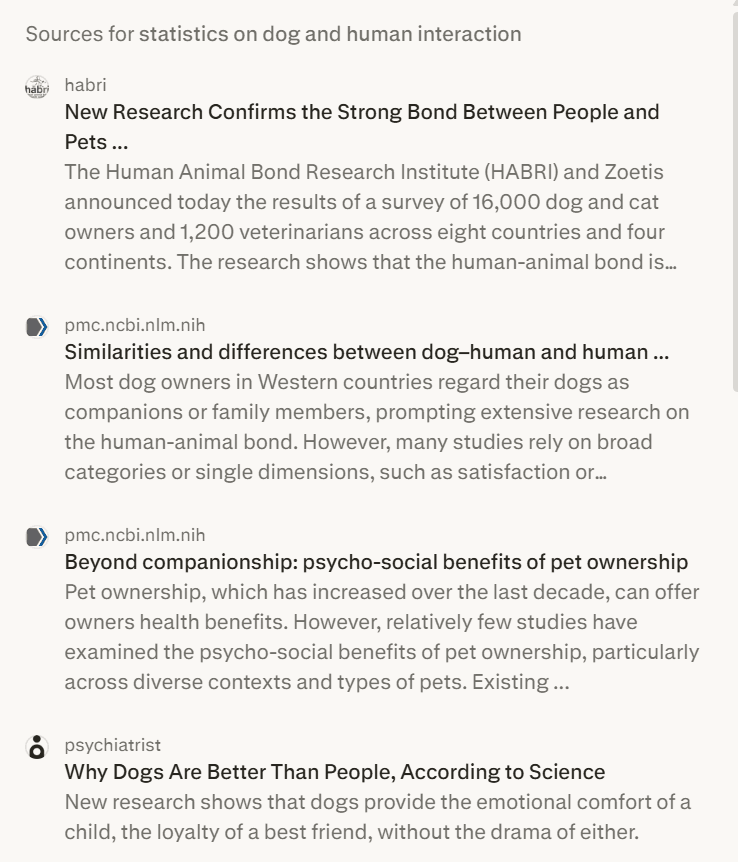
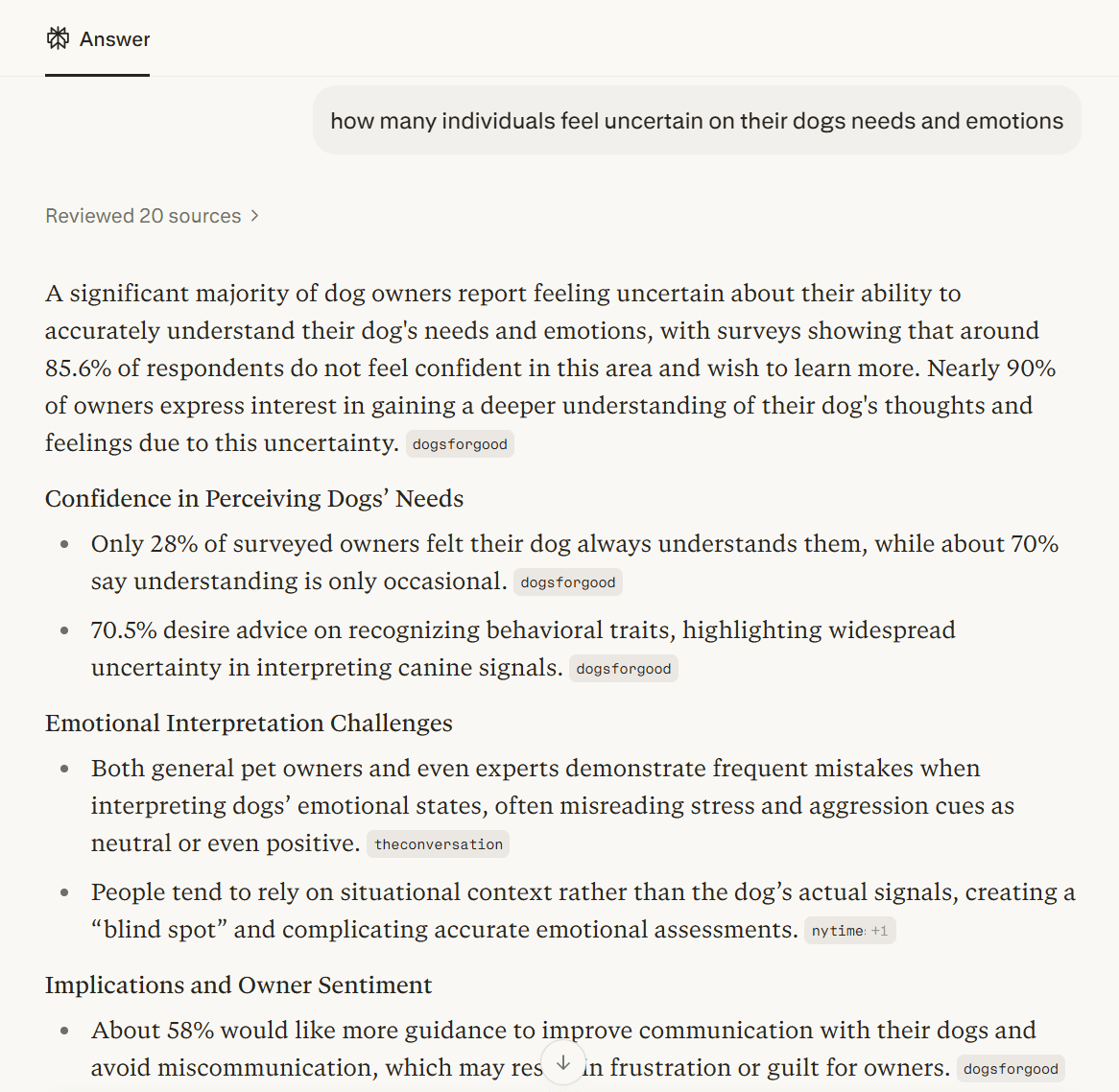
Utilizing Perplexity AI as a research assistant, I researched symptoms and data that contribute to sleep troubles so I could best understand the user’s needs and pain points.

Below is a sample of a prompt I sent to Perplexity.
What did I do with this research?

From several prompts and analyzing articles, I pin-pointed the main problems on the interactions between humans and their dogs.

I was baffled by the large percentage of the population that wanted to learn more about their dog's behavior!

I was baffled by the large percentage of the population that wanted to learn more about their dog's behavior!

RESEARCH & STATISTICS

RESEARCH & STATISTICS

I researched the relationship between dogs and their owners and found intriguing results. This step was necessary in determining the practicality and relevance of Whispr.

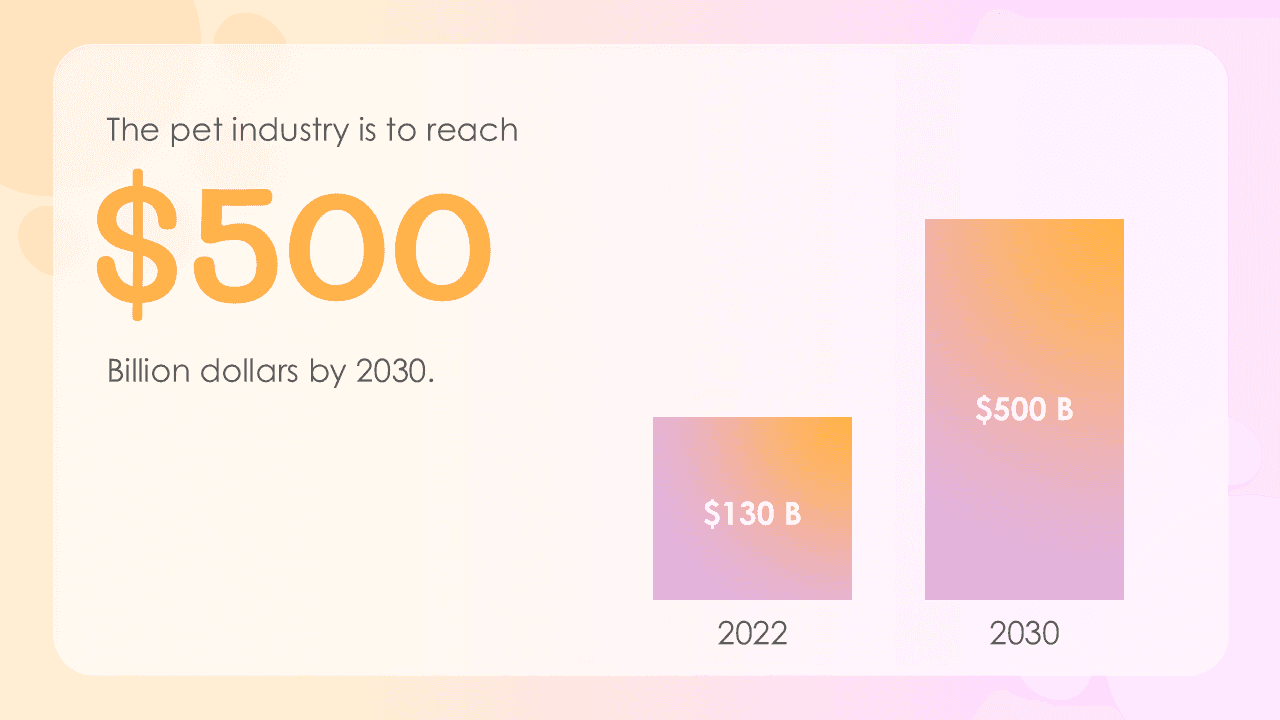
"The pet industry is to grow to $500 billion by the year 2030."

Bloomberg

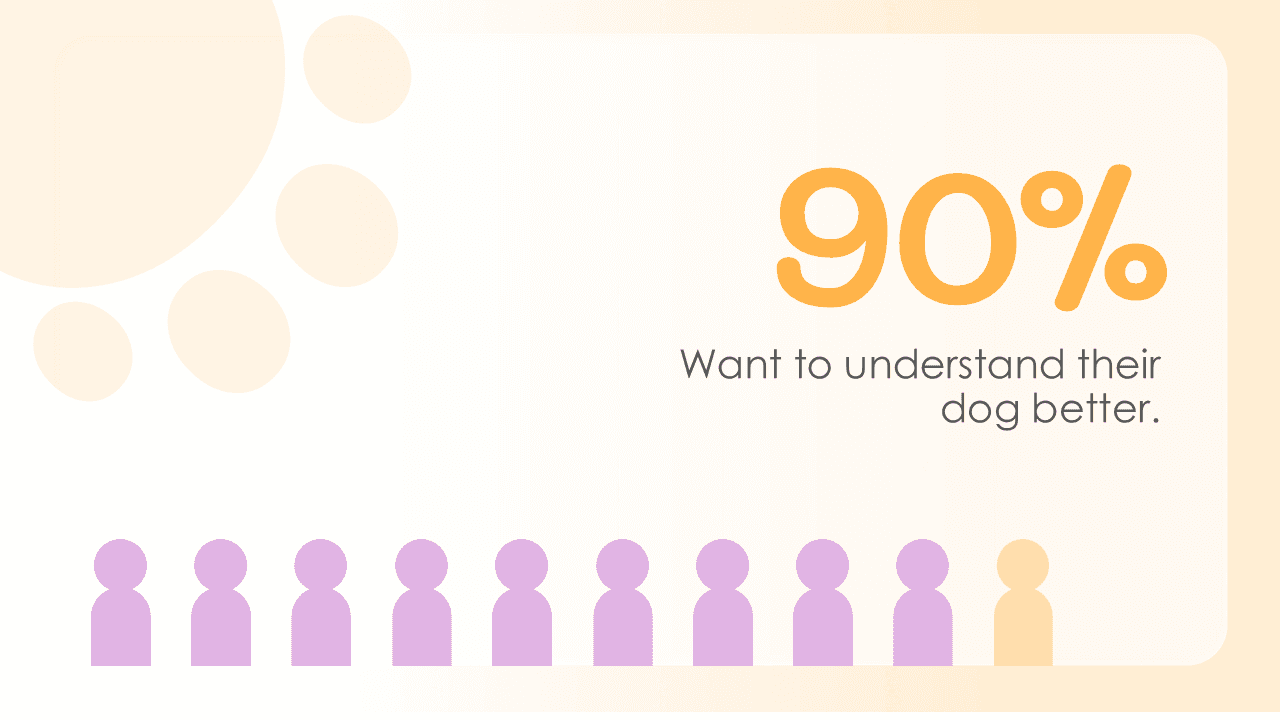
"90% of dog owners want to understand their dog better."

UK Dogs For Good

"Aids for decoding dog emotions are technological and physiological measures."

Global Wellness Institute

These stats prove that the pet market is consistently growing, proving that individuals are spending more time and money on their pets than in years previous..

PERSONAS

PERSONAS

In order to provide real solutions, I must determine who the target audience of the app will be. I determined these to be the main audience.

Target audience:

Target audience:

Target audience:

First-time dog owners

First-time dog owners

First-time dog owners

Owners with in-person/hybrid jobs

Owners with in-person/hybrid jobs

Owners with in-person/hybrid jobs

Dog shelter/kennel workers

Dog shelter/kennel workers

Dog shelter/kennel workers

Persona 1

“I'm nervous I'll misinterpret my dog's needs.”

Lola, first time dog owner

Lola, first time dog owner

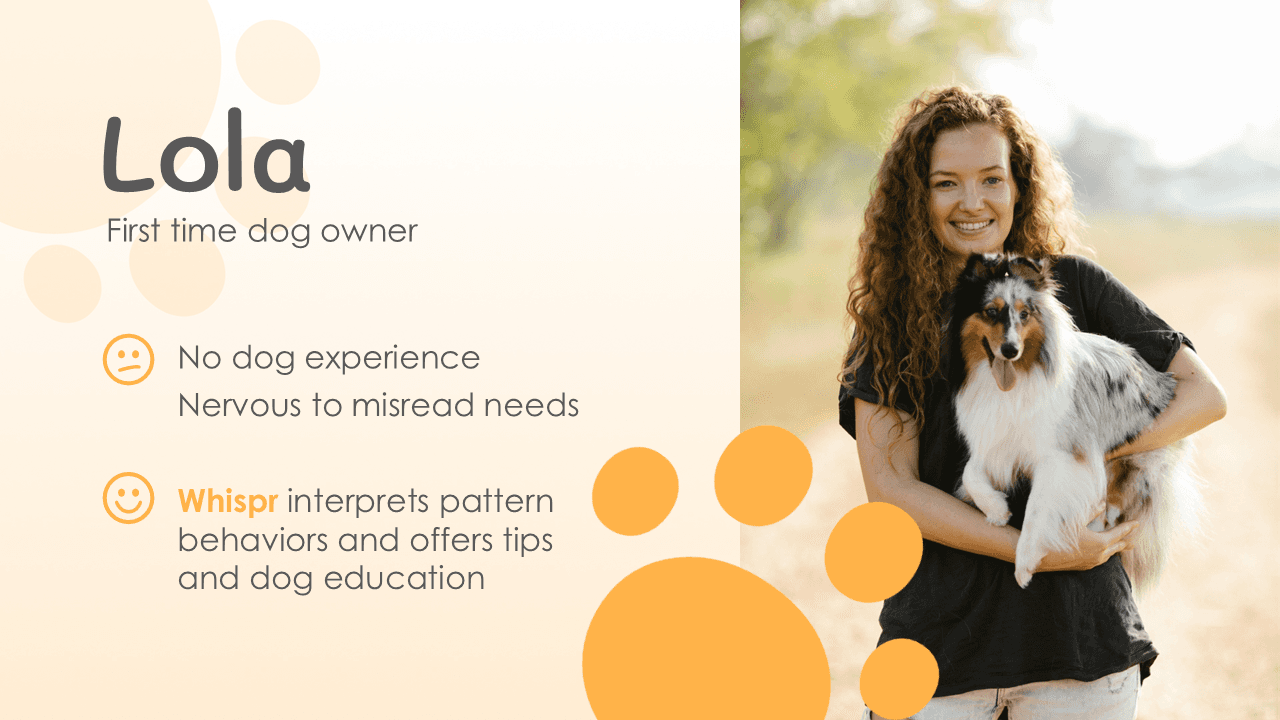
Lola is a first-time dog owner who doesn’t have any experience with owning a dog (a lot like me). She’s scared that she’s going to misread her dog’s barks and behaviors, leaving her wondering if she’s treating her dog the right way.

Frustrations

Nervous that she'll misread her dog's behaviors.

Limited knowledge of best practices in dog care.

Needs

A translation of her dog's expressions and steps for how to manage them.

Education on her dog's breed and best tips catered to her dog.

How Whispr can help

Provides personalized tips for the breed of her dog.

A chat-bot that Lola can go to if she has any quick questions or concerns about her dog.

Insights about her dog's daily activity, mapping the personality and temperament of the dog.

Gary, the businessman

Gary, the businessman

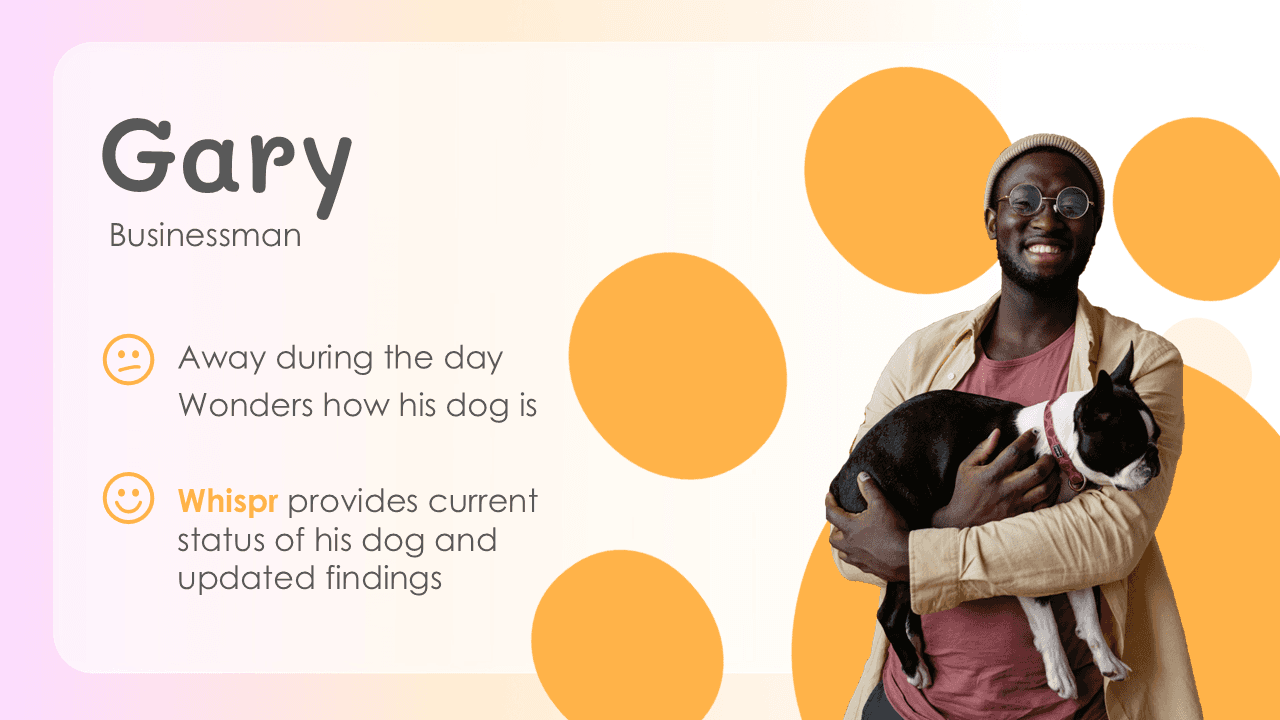
Gary is a single businessman who has a dog at home. Gary is gone for the majority of the day, so he often wonders how his pet is doing while he’s away.

Frustrations

Left wondering if his dog is okay while he's at work.

Not sure if his dog's health and activity levels are normal.

Needs

Monitor his dog remotely.

Behavioral and health observational statistics.

How Whispr can help

Current behavioral status of his dog, providing data such as activity level, body temperature, and heart rate.

Customizable notifications to alert owner.

Dog status history with insights from AI-detected patterns.

Persona 2

“I wonder how my dog is doing while I'm at work.”

Persona 3
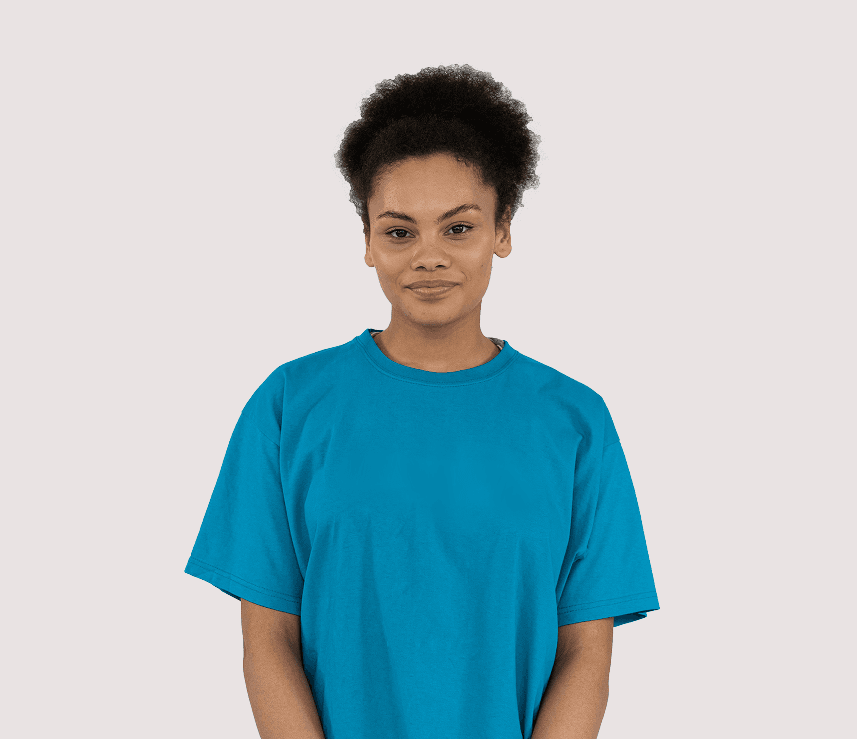
“I want to keep close track of every dog's behavior.”

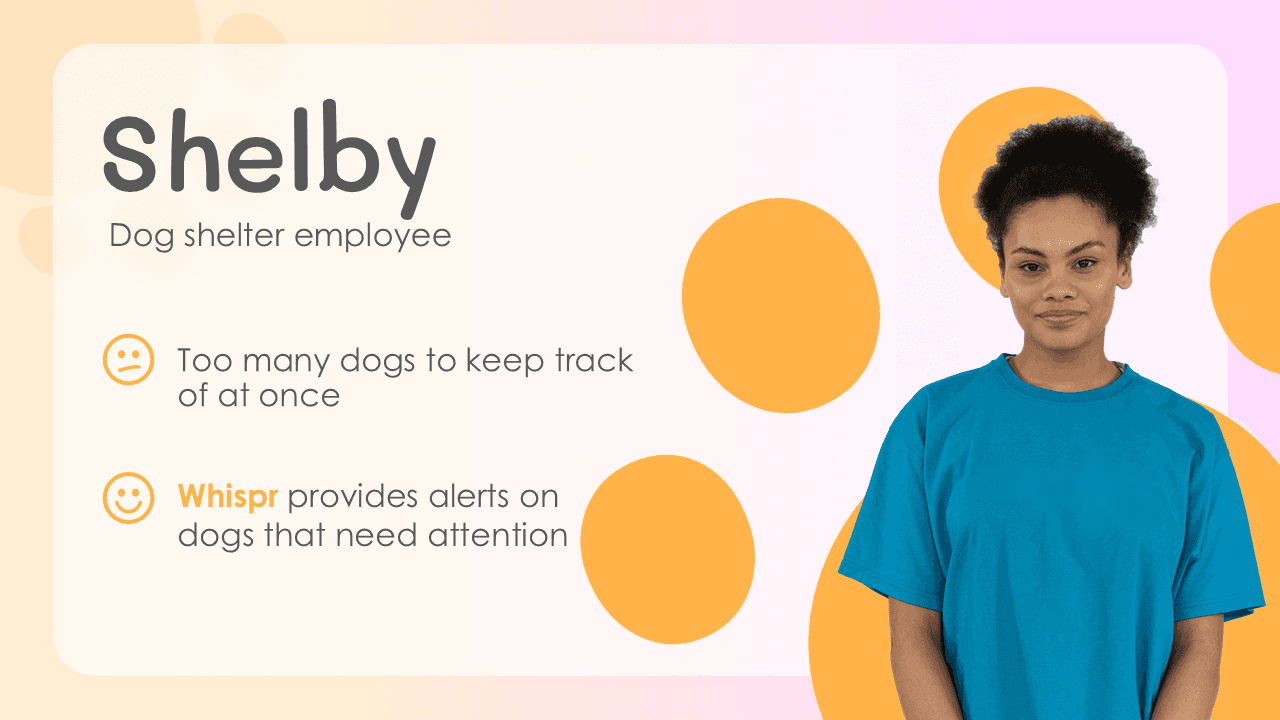
Shelby, employee at dog shelter

Shelby, employee at dog shelter

Shelby works at a dog shelter. Shelby struggles with knowing all the dog’s health concerns as well as their temperaments. She doesn't have the mental capacity to remember every detail about each dog with the amount of new dogs the shelter brings in.

Frustrations

Frequently confuses dogs by their characteristics and behaviors.

Struggles with helping adopters pick the dog that is right for them.

Needs

Ability to list dogs and connect behavioral insights to each dog.

Adding notes to each dog's profile to record specific data.

How Whispr can help

Each dog wearing a smart collar will have data captured and automatically updated on her Whispr app.

Every dog has a profile that contains information such as dog breed, temperament, energy, etc.
USER JOURNEY MAP

USER JOURNEY MAP

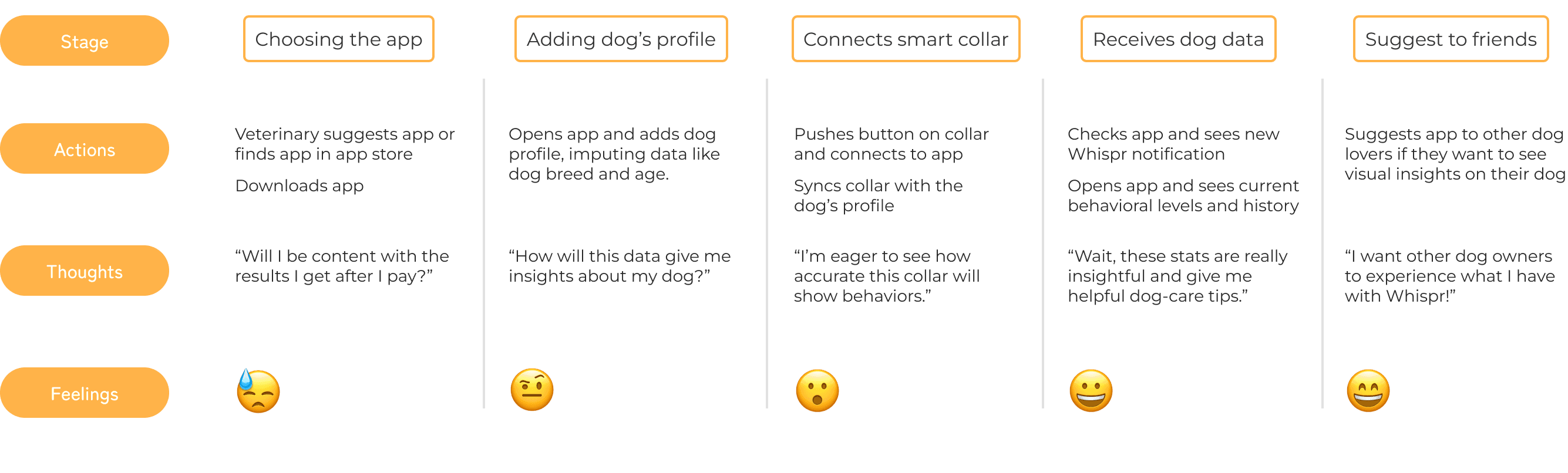
After developing realistic user personas, the next step was to create a map of the whole experience users would generally have with Whispr.

After developing realistic user personas, the next step was to create a map of the whole experience users would generally have with Whispr.

User journey maps help you place yourself in your user’s shoes and seeing the product from their perspective.

APP SITEMAP

From determining the paths that the users will mainly take, it was time to organize the main app information through navigation and page connections.

Site maps act as the blueprint of the interface, ensuring that I don’t forget to design any screens.

APP SITEMAP

From determining the paths that the users will mainly take, it was time to organize the main app information through navigation and page connections.

Site maps act as the blueprint of the interface, ensuring that I don’t forget to design any screens.

WIREFRAMES

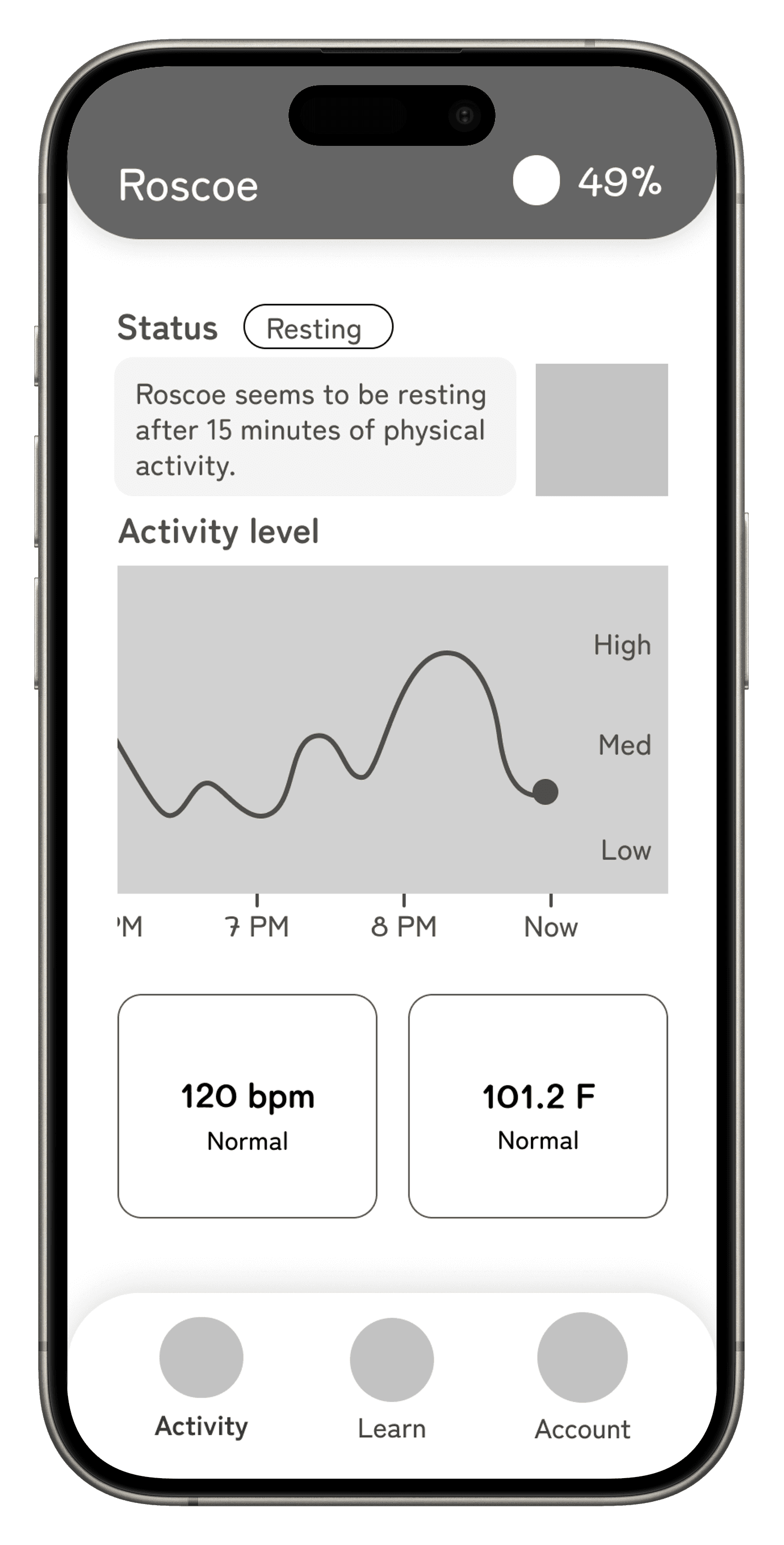
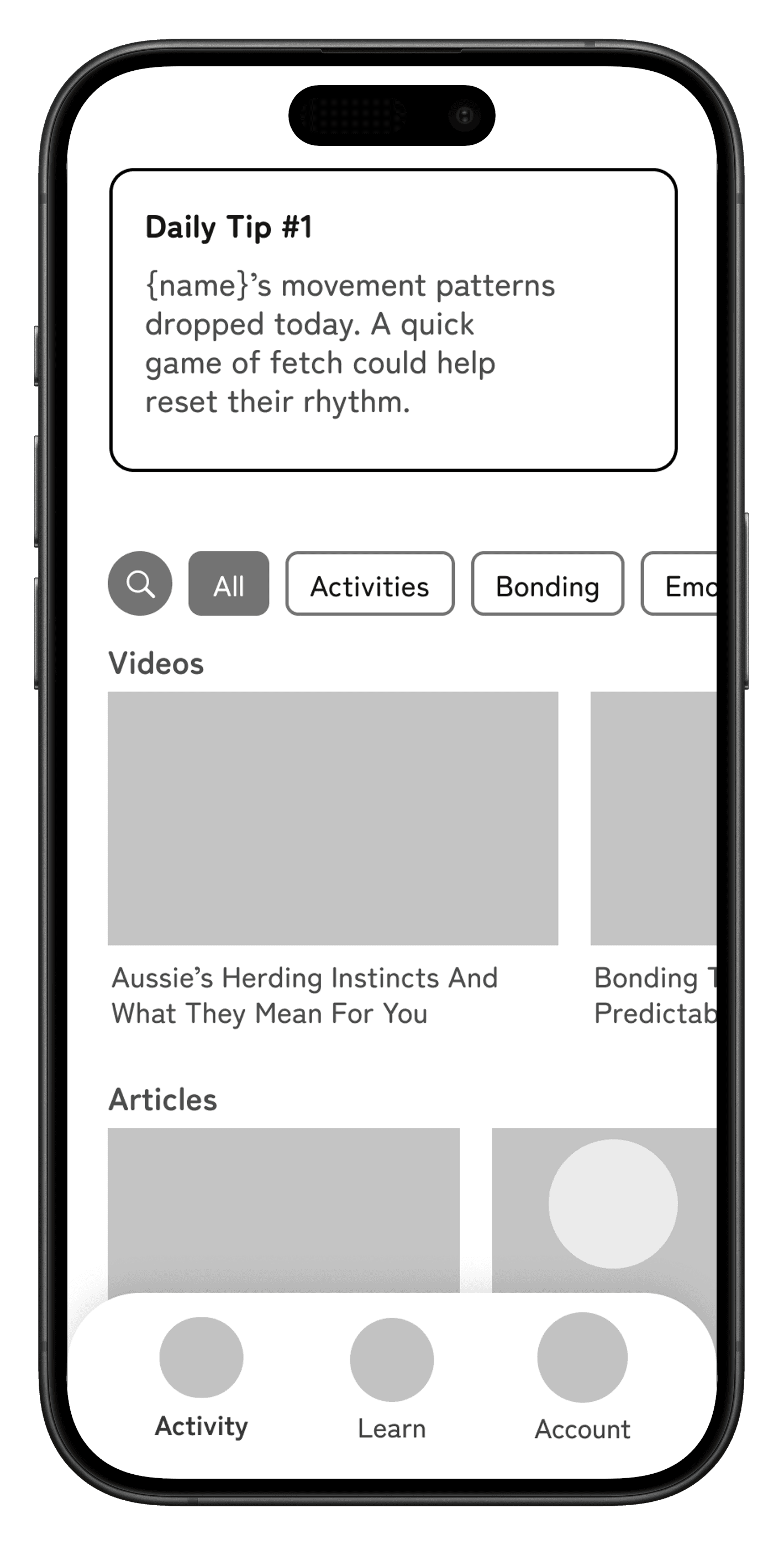
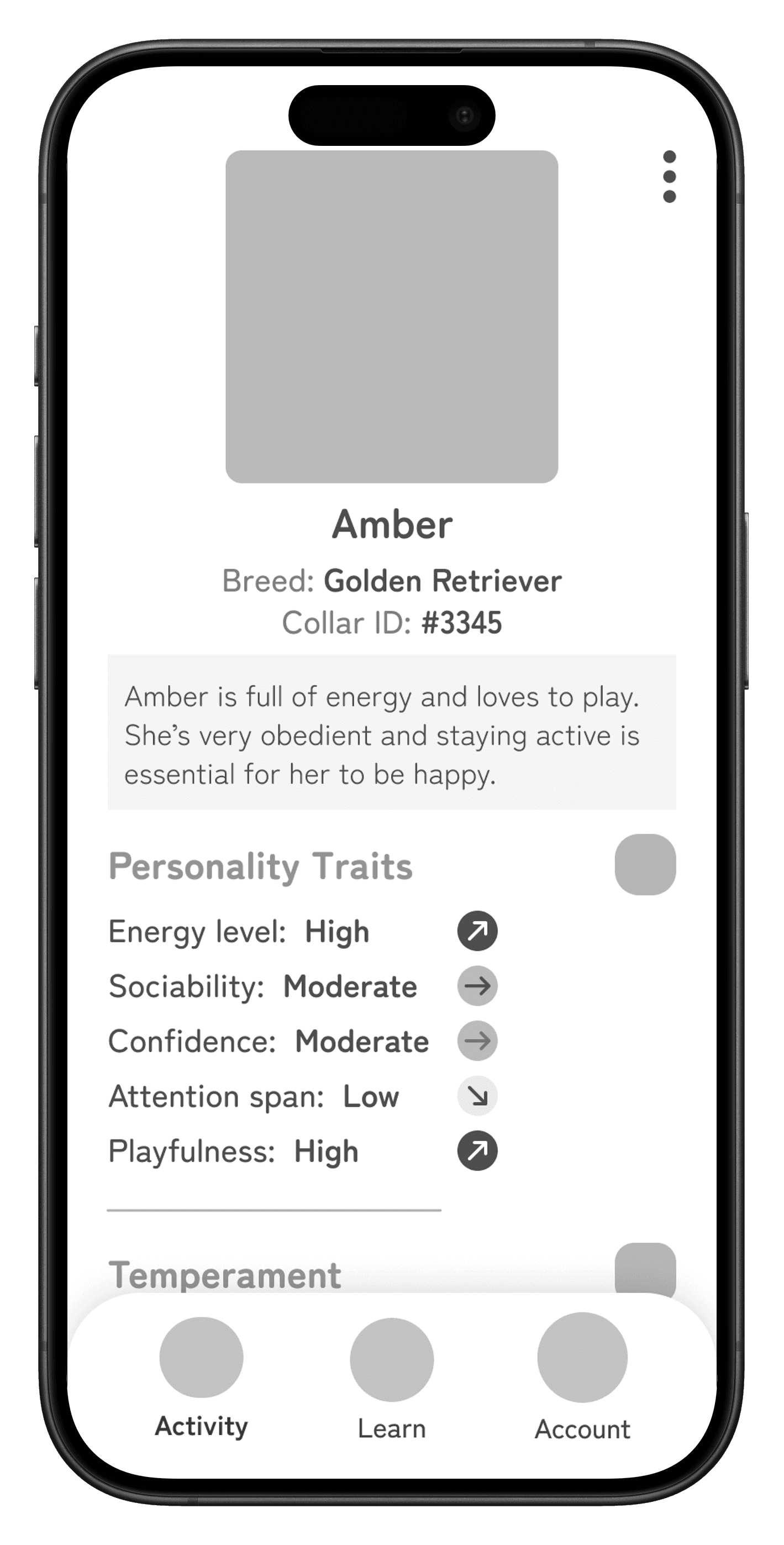
Now that I have the site map planned, the next step is to visualize each screen. The main focus of this step is UX structure and proper design hierarchy.

Activity screen
Learn screen
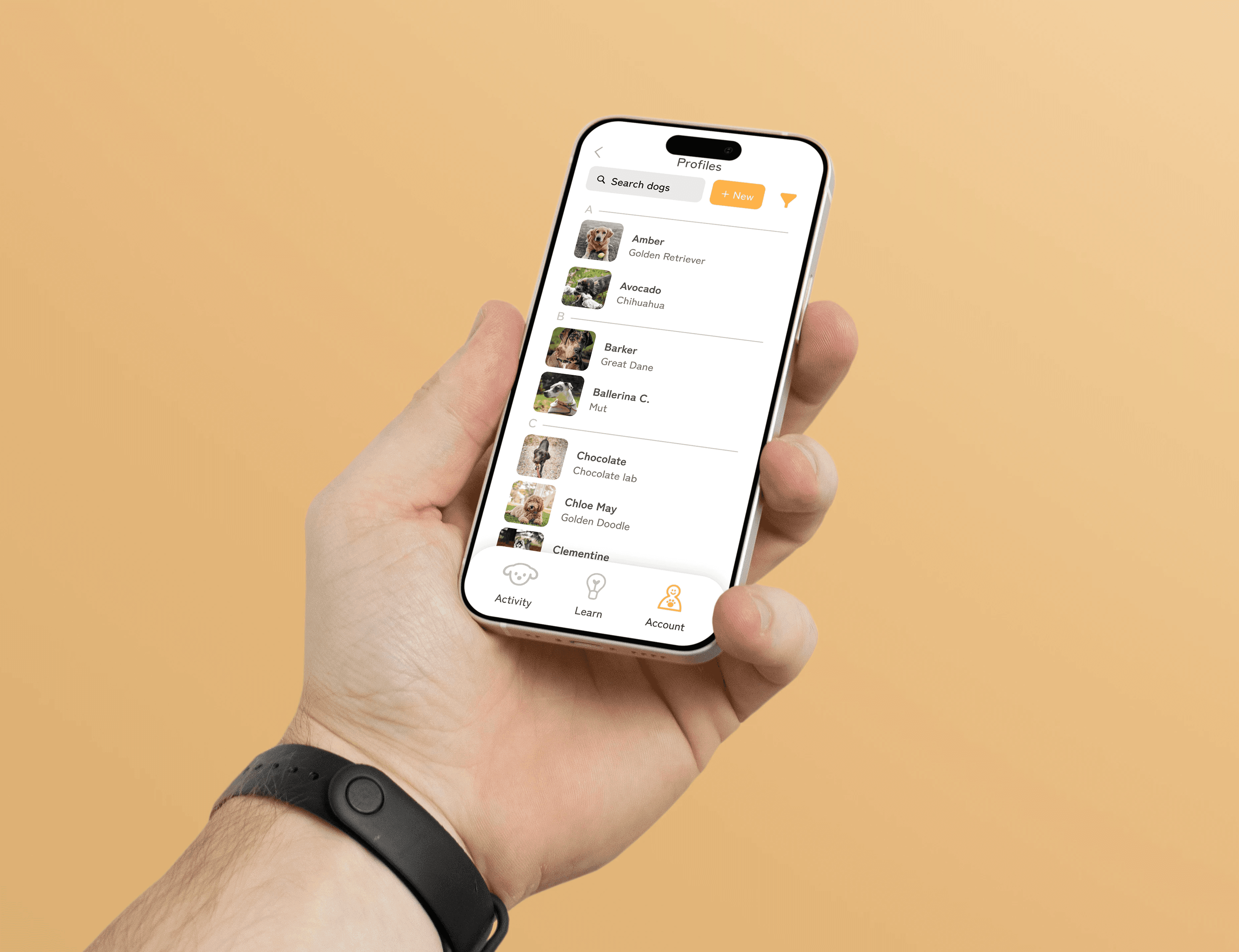
Pet profile screen
UI LIBRARY & BRANDING

UI LIBRARY & BRANDING

Now that the skeleton of the app was developed, I had to bring it to life. Creating a unified brand to use across the presentation and app was essential for marketing and professional purposes. This step was a lot of fun!

I had to keep the branding in mind as I built out the product presentation that I would present in front of stake-holders.

Main logo

Words to describe Luma

Playful

Helpful

Energetic

Reliable

Positive

Insightful

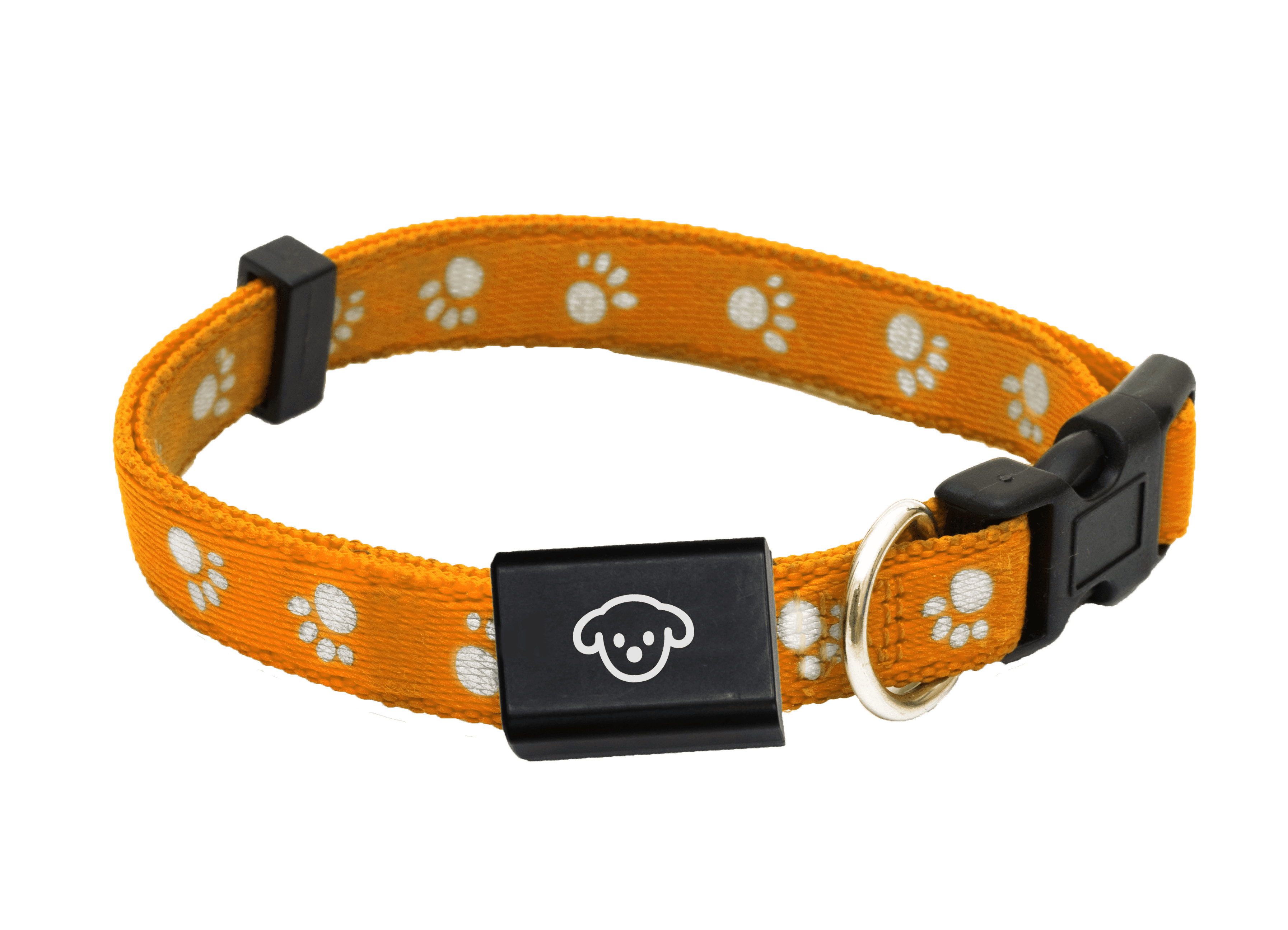
Smart collar on dog

Colors

Typography
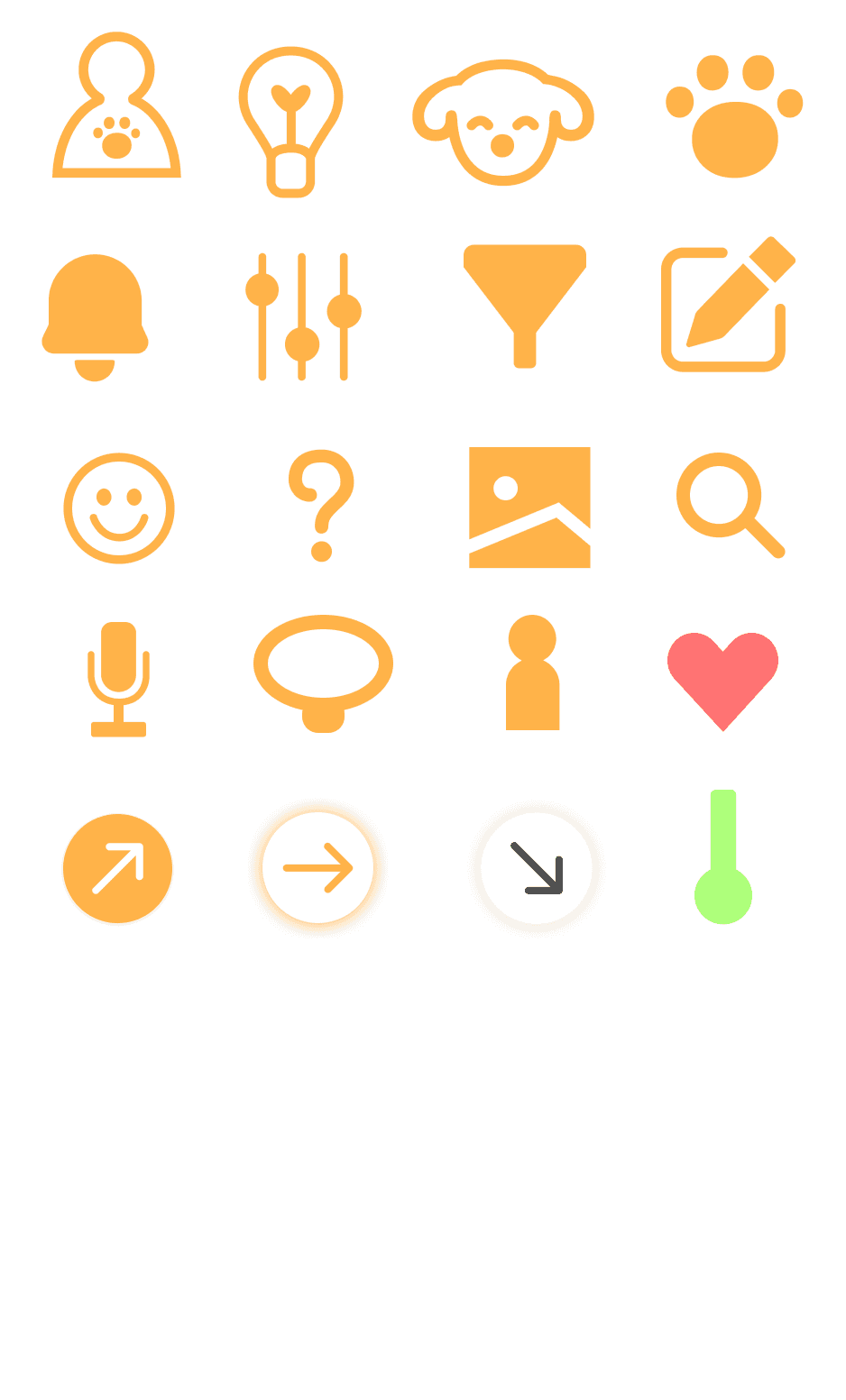
Various logos used in app

HIGH FIDELITY COMPS

HIGH FIDELITY COMPS

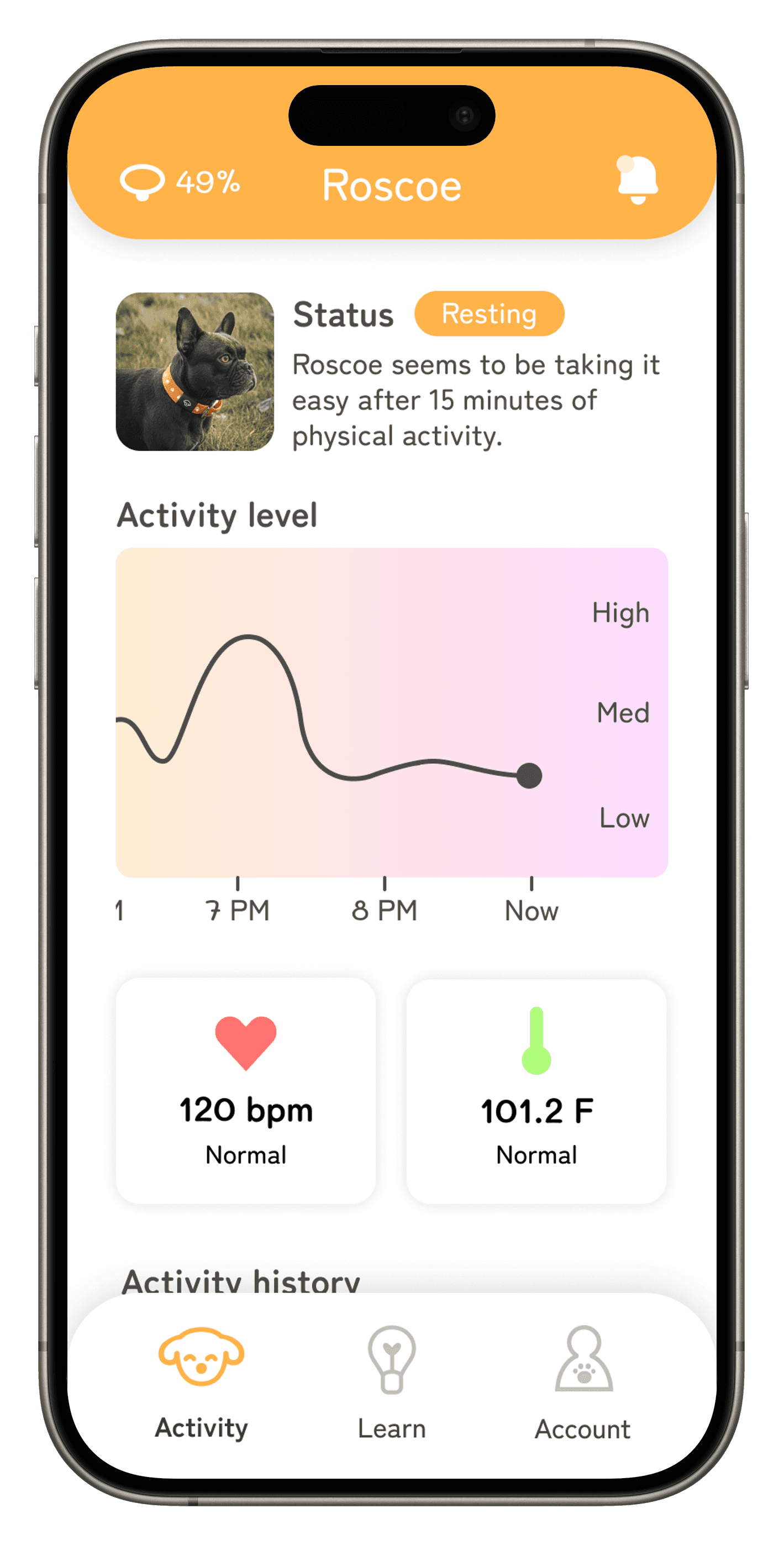
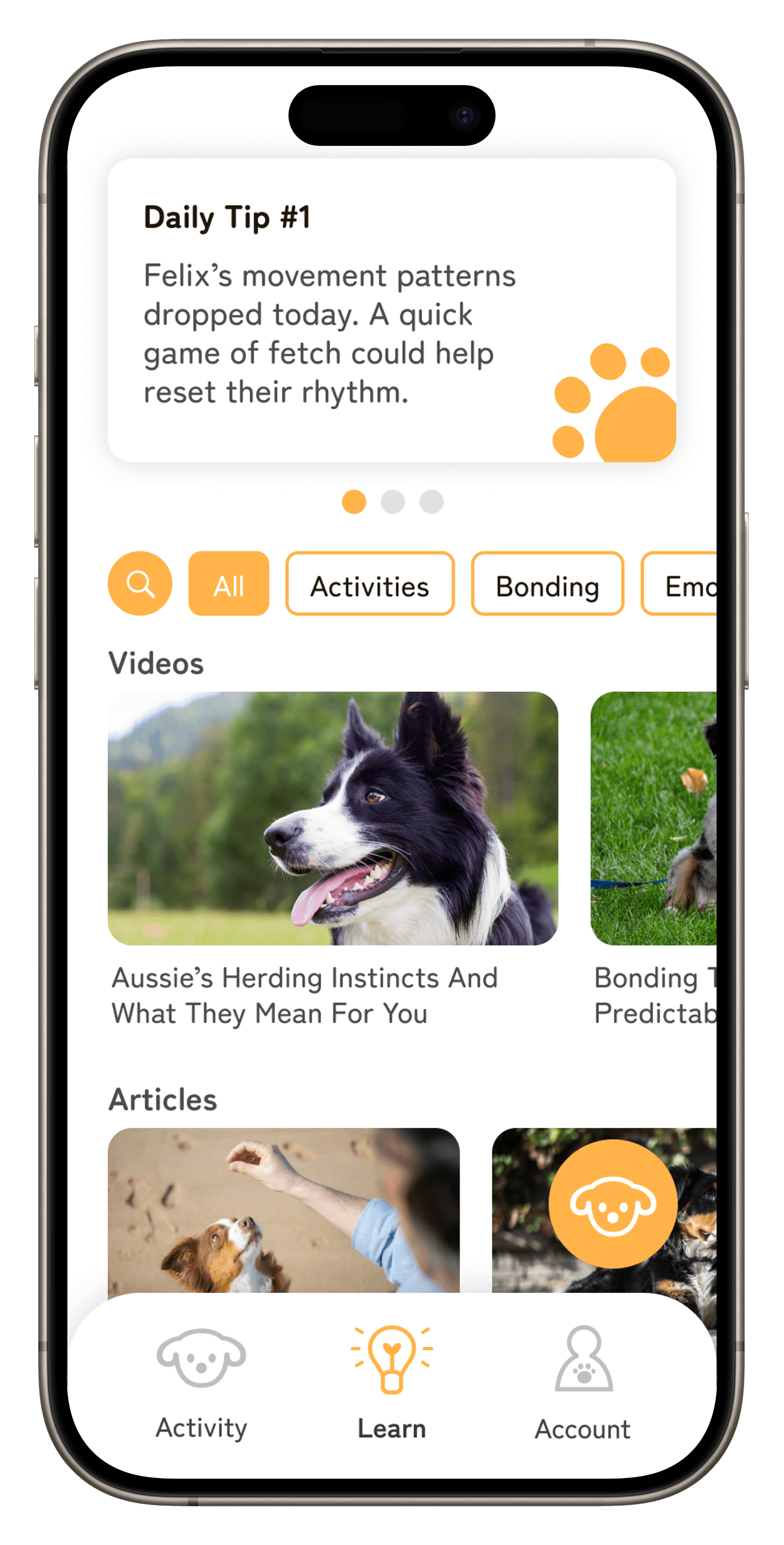
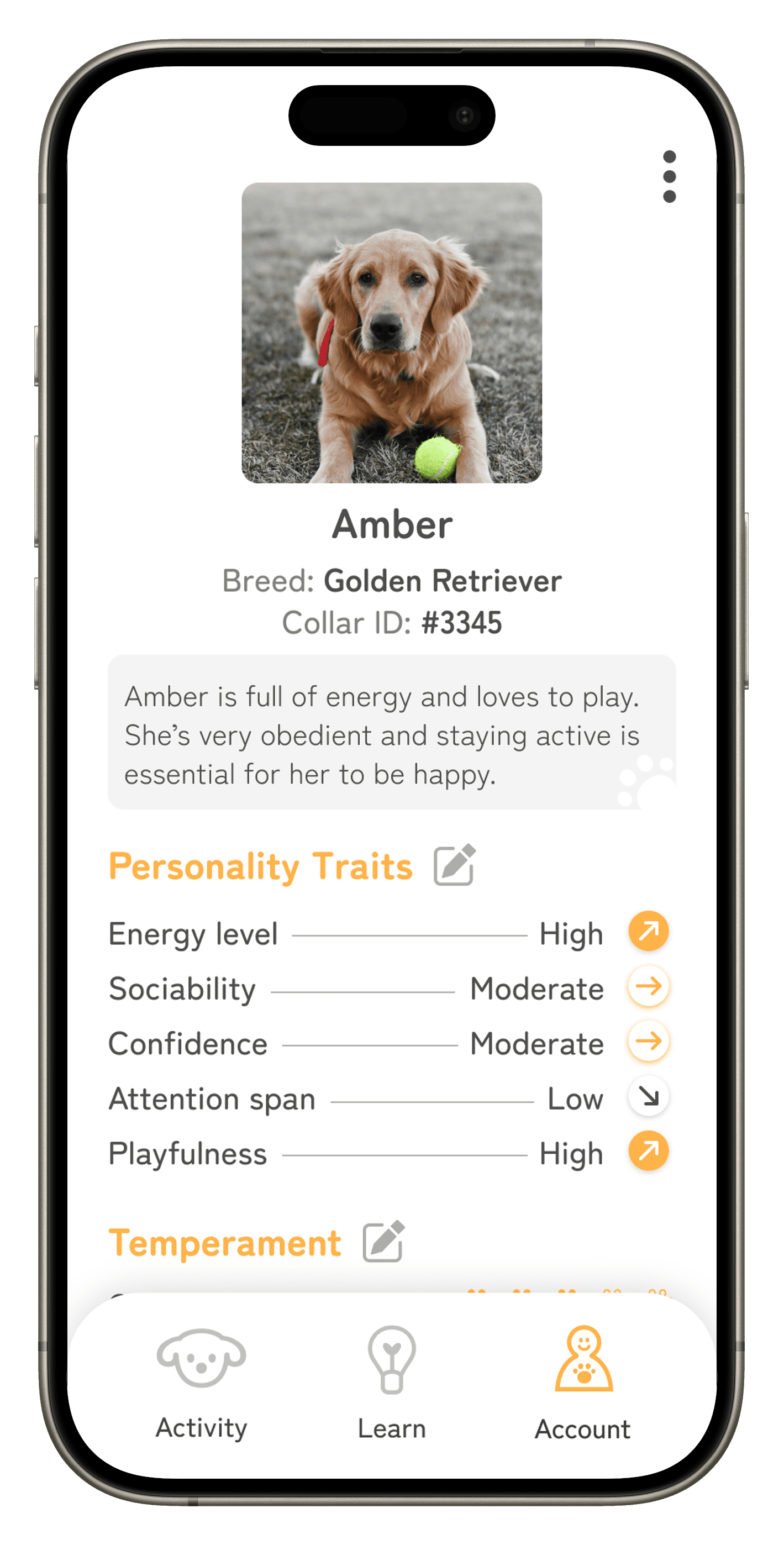
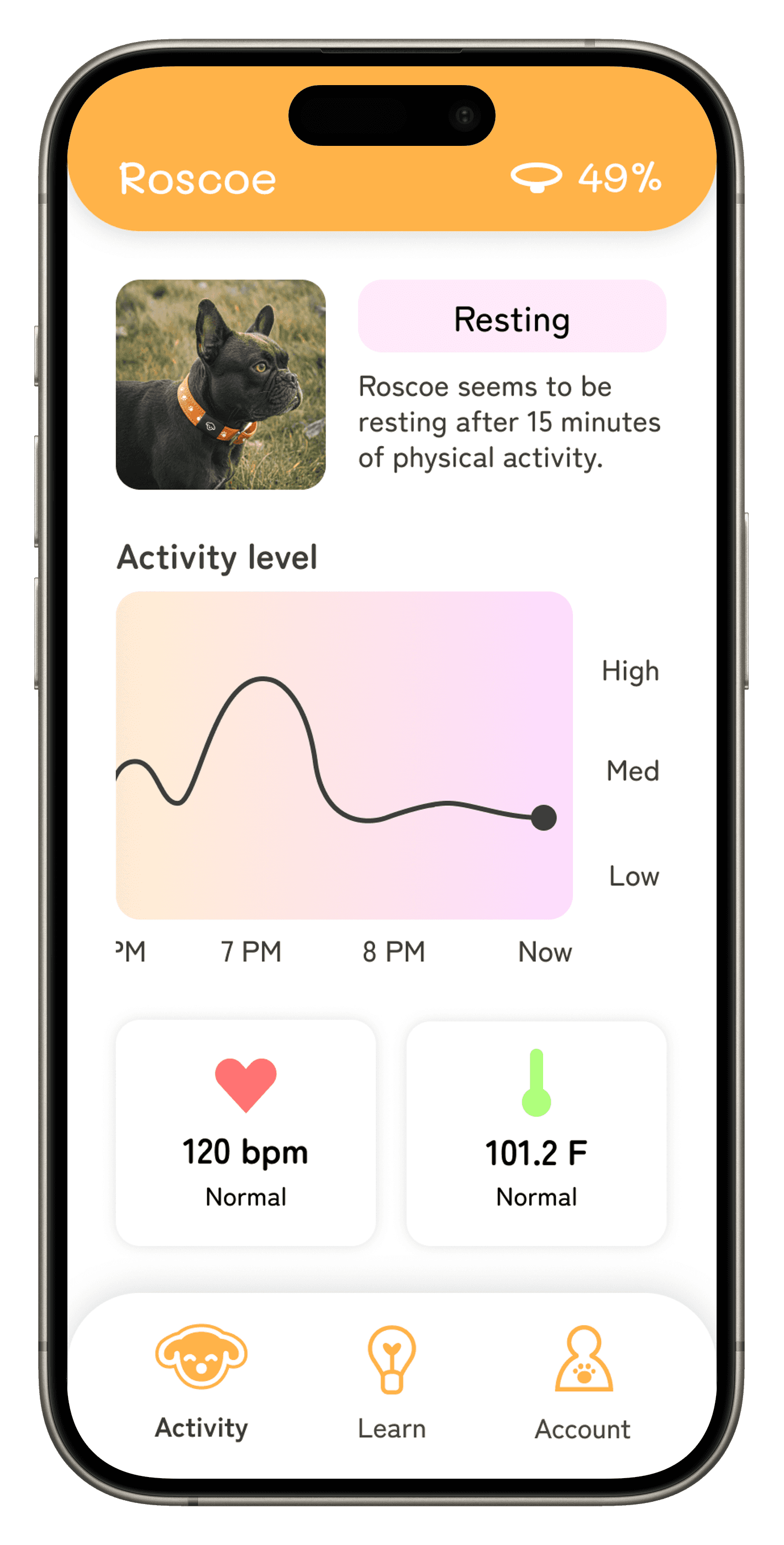
Next, I integrated the established UI properties to the wireframes, bringing the screens to life.

Activity screen
Learn screen
Pet profile screen
ITERATION PROCESS

ITERATION PROCESS

Wireframes aren’t born with good design, that’s why it’s important to continually iterate on every screen until it evolves into a more functional, attractive design.

This is an example of how the Activity screen started and how refined the design became after iterations.

V.1

V.3
V.4

Some screens take more iterations than others. For this screen, I iterated it 4 times altogether.


APP WALKTHROUGH VIDEOS

Lola's user-flow

Commentary:

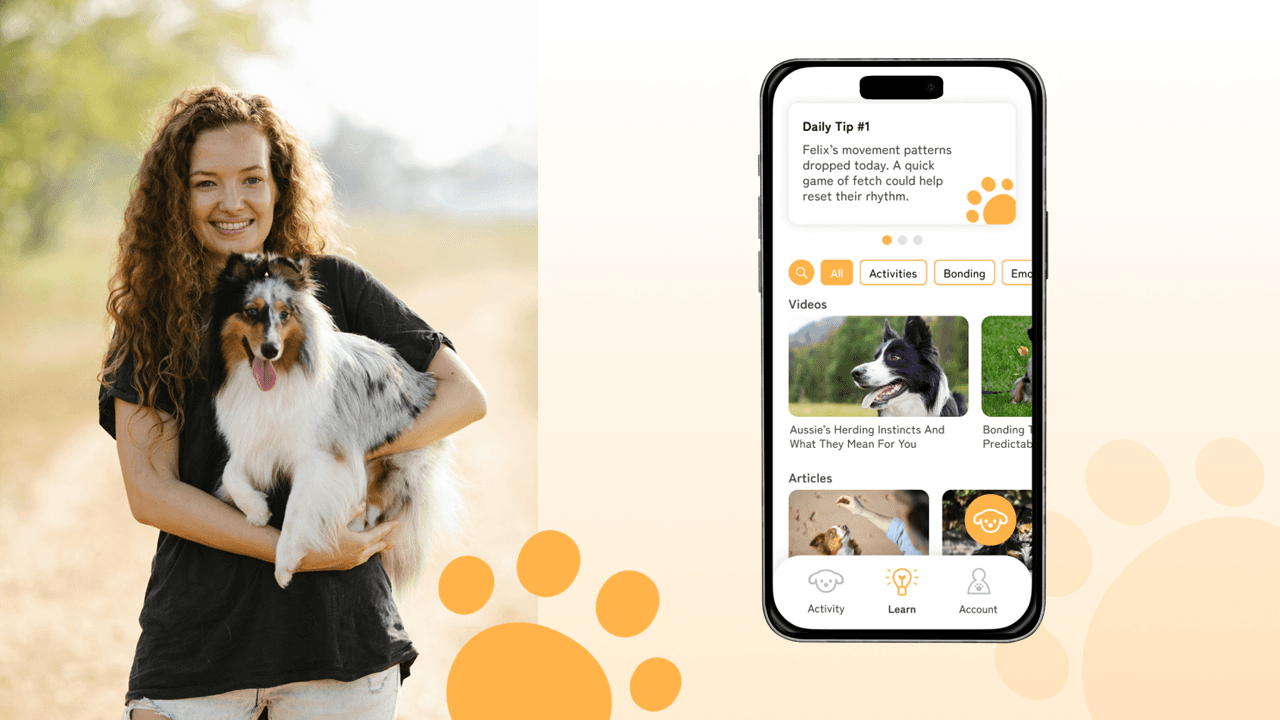
Lola loves the learning tab the most because she can learn new ways on how to care for her Australian shepherd. There are daily tip cards at the top that give her dog tips that are personalized to her dog’s breed. Below that she can search for specific articles and videos that relate with her dog or just helpful tips in general.

Lola also likes the AI dog feature Barker where she can ask it specific things like dog care tips, deeper dog research, and advice on a pet decision. Having Barker and the learning tab give Lola more confidence in caring for her new dog!

Gary's user-flow

Commentary:

Gary logs on and opens up the activity tab where he can view his dog’s current status and levels. At the top it shows how his dog is actively doing and he can evaluate any alerts he missed while he was at work.

Scrolling down he can see a graph of his dog’s activity level and see when he was most active. Then he can view staple vitals like heart rate and body temperature. And in case he wants to know specifically what Roscoe was doing when his activity level was high he can view a detailed history of movement and activity. That way, he doesn’t have to guess what his dog was doing, he can see it himself.

Shelby's user-flow

Commentary:

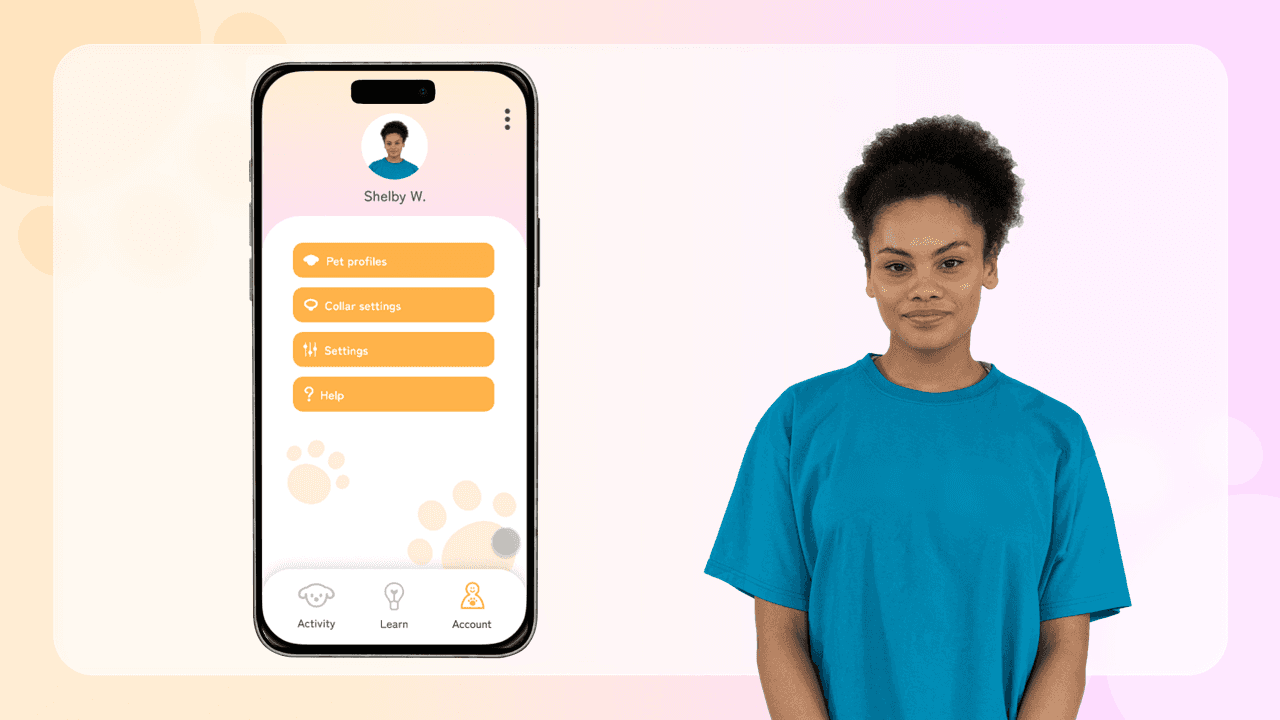
Lastly, Shelby uses the account tab pretty often. It offers pet profiles, collar settings, general settings, and a help page. She uses pet profiles the most when someone comes in wanting to adopt a dog.

She can easily pull up that dog’s specific profile in order to get an accurate picture of the dog’s personality and temperament. That way she doesn’t have to second-guess herself when it comes to details about the individual dogs.

APP WALKTHROUGH VIDEOS

Lola's user-flow

Commentary:

Lola loves the learning tab the most because she can learn new ways on how to care for her Australian shepherd. There are daily tip cards at the top that give her dog tips that are personalized to her dog’s breed. Below that she can search for specific articles and videos that relate with her dog or just helpful tips in general.

Lola also likes the AI dog feature Barker where she can ask it specific things like dog care tips, deeper dog research, and advice on a pet decision. Having Barker and the learning tab give Lola more confidence in caring for her new dog!

Gary's user-flow

Commentary:

Gary logs on and opens up the activity tab where he can view his dog’s current status and levels. At the top it shows how his dog is actively doing and he can evaluate any alerts he missed while he was at work.

Scrolling down he can see a graph of his dog’s activity level and see when he was most active. Then he can view staple vitals like heart rate and body temperature. And in case he wants to know specifically what Roscoe was doing when his activity level was high he can view a detailed history of movement and activity. That way, he doesn’t have to guess what his dog was doing, he can see it himself.

Shelby's user-flow

Commentary:

Lastly, Shelby uses the account tab pretty often. It offers pet profiles, collar settings, general settings, and a help page. She uses pet profiles the most when someone comes in wanting to adopt a dog.

She can easily pull up that dog’s specific profile in order to get an accurate picture of the dog’s personality and temperament. That way she doesn’t have to second-guess herself when it comes to details about the individual dogs.

PRESENTATION SLIDES

PRESENTATION SLIDES

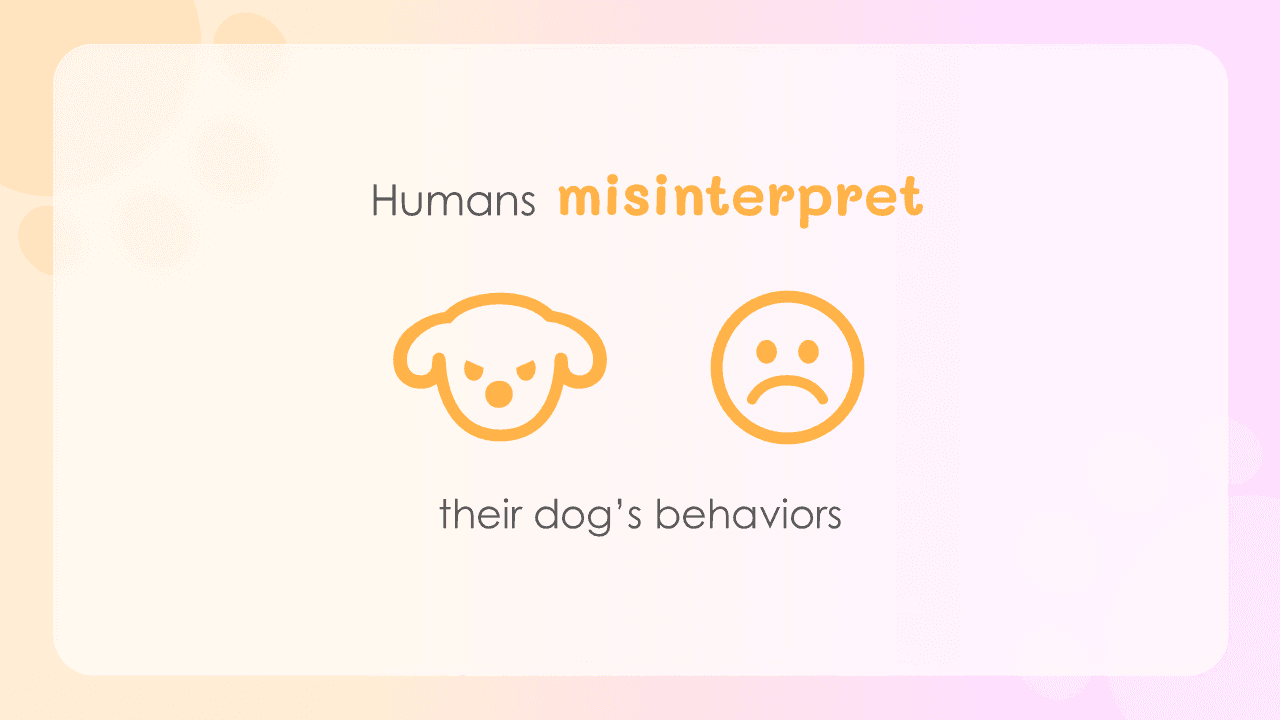
Some slides may be word-less. Keep in mind this presentation is just a visual aid as I presented Whispr as a product. My public speaking was the star of the presentation.

THANK YOU

I appreciate the time you took to check this out. :)

Back to top